Personal Website
A personal portfolio. Built like an operating system.
A CMS-backed portfolio and journal where navigation feels like a shell, articles behave like documents, and curiosity is part of the interface.
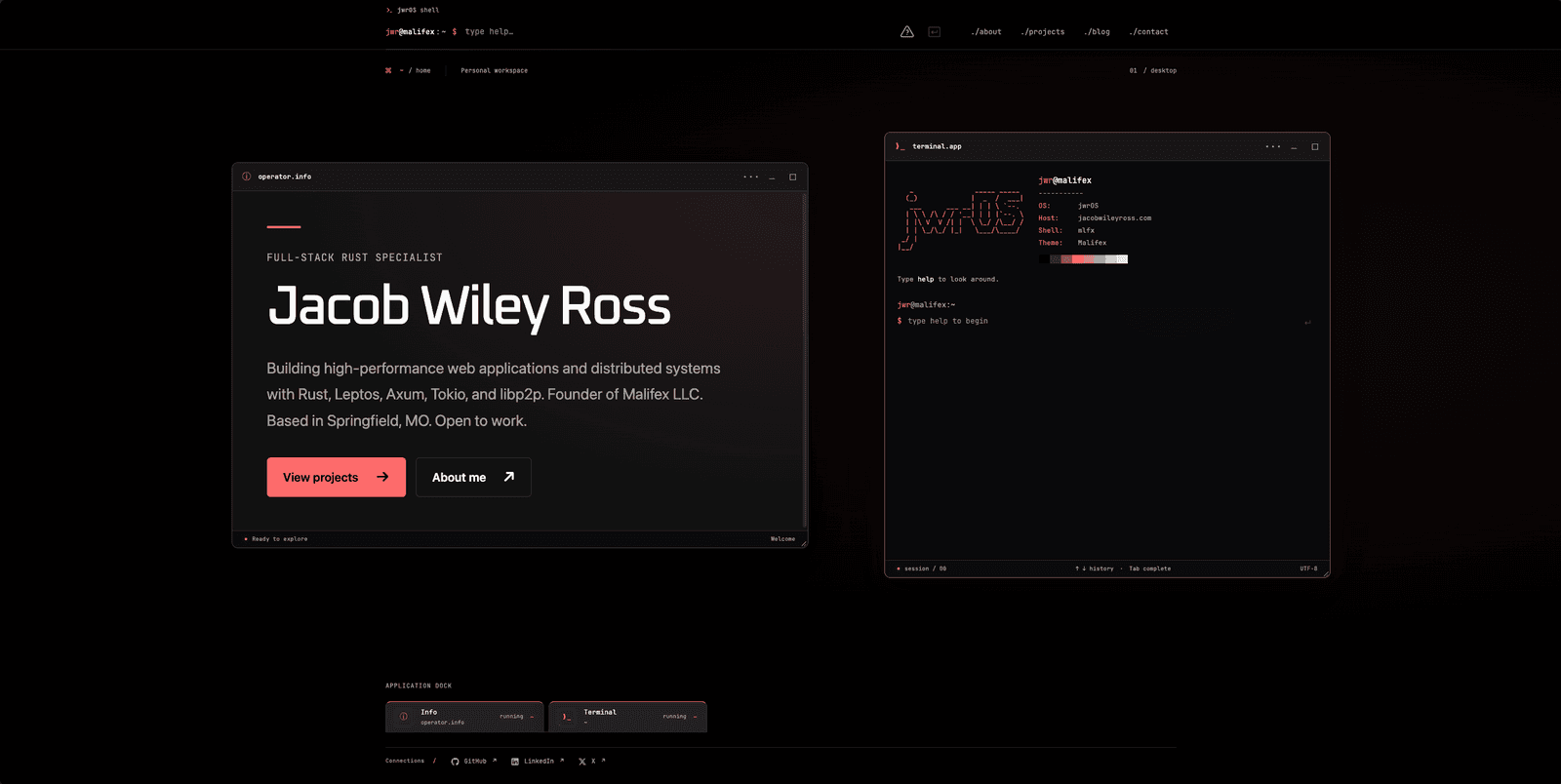
Overview / the idea
This website brings a personal portfolio, a publishing system, and an interactive terminal interface into one deliberately crafted experience. The visual language is restrained: layered blacks, coral accents, readable type, and software-like windows. Behind the interface, Payload manages the content while Next.js renders the public experience on the server.
Capabilities / what makes it tick
A functional shell
Navigate with visible links or typed commands. Context-aware commands extend the shell as you explore articles and projects.
A real publishing workflow
Assemble articles from rich text and reusable blocks, then preview, publish, or schedule them through Payload.
Details with a purpose
Code windows, image viewers, reading tools, and small Easter eggs give the interface character while keeping content accessible.
Dependencies / stack
- Next.js
- React
- TypeScript
- Payload CMS
- PostgreSQL
- Docker
My contribution
Software Developer
Case study / under the surface
An interface with a point of view
The design treats the website as an environment to explore. A persistent shell provides navigation, while individual sections feel like focused pieces of software. The terminal aesthetic is balanced with clear typography, ordinary links, and useful keyboard behavior.
Publishing is part of the platform
The journal is assembled in Payload using Lexical rich text and reusable blocks. Drafts, autosave, live preview, revision history, and scheduled publication support the editorial workflow. Public pages, search, feeds, and related content consistently use published documents.
Small interactions, carefully placed
The interactive layer is built from focused components: code-copy buttons, native image dialogs, article outlines, terminal responses, and scoped commands. Core content is server-rendered, while client-side components handle the places that benefit from interaction.
Continue exploring